
Tools
Select logical processors to build a CPU affinity bitmask, or type a mask to see which processors it includes.
Set this to the number of logical processors on the PC you are configuring.
start /affinity 0x0 notepad.exeCalculator source code on GitHub
An affinity mask is a number in which each bit stands for one logical processor: Bit 0 is CPU 0, bit 1 is CPU 1, and so on. A process runs only on the processors whose bits are set. Masks are usually written in hexadecimal; for example, 0x55500 selects CPUs 8, 10, 12, 14, 16 and 18.
The numbers are logical processors as Windows counts them, so on CPUs with Hyper-Threading or SMT, each core usually counts as two. On PCs with more than 64 logical processors, Windows divides them into processor groups of up to 64, and a mask applies within one group.
The best way to set a CPU affinity permanently on Windows is to use Process Lasso. The custom CPU affinity is applied each time the process runs.
Download Process Lasso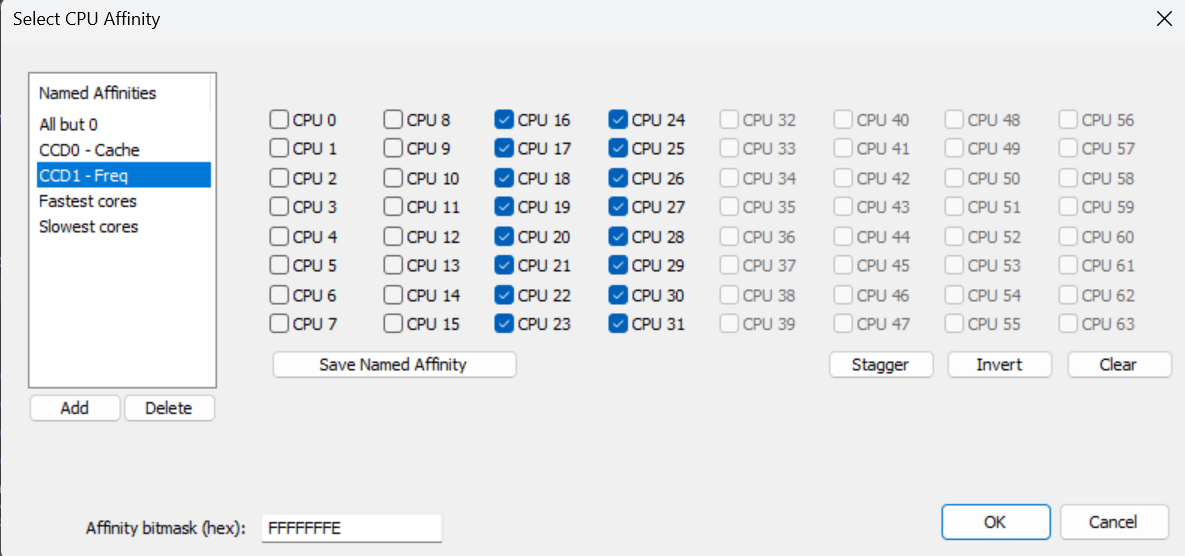
To start a program at a specific CPU affinity once, use the start command in cmd.exe. The calculator above builds this command for you.
start /affinity 0x0000000000055500 notepad.exe
When run from the Start Menu, include the command shell (cmd.exe), for example:
c:\windows\system32\cmd.exe /C start /affinity 0x0000000000055500 notepad.exe
To change the CPU affinity of a program that is already running, use Task Manager. The change lasts until the program closes.
To see what an affinity change does under load, run the Thread Scaling preset in StressTest, give your browser a CPU affinity rule in Process Lasso, and run it again.
Bitsum Technologies
Independent Windows software since 2002. We build novel solutions to software performance and automation challenges.