
Free CPU Responsiveness Tool
Process Lasso’s ProBalance algorithm in a small, stand-alone app. It keeps Windows responsive when background processes put a high load on the CPU.
CPUBalance 1.4.0.6, January 6, 2023. Windows Vista or later. The installer adds the 32-bit or 64-bit version to match your Windows.
Process Lasso includes everything CPUBalance does, with the same ProBalance algorithm. It is updated much more often, and it can do far more. Process Lasso is free to use, too.
Which One?
Both run the same ProBalance engine. CPUBalance does only that; Process Lasso adds many more tools and gets regular updates.
How It Works
A single process running at normal priority can use enough CPU to make Windows sluggish, or even unusable. ProBalance temporarily lowers the priority of background processes that use too much CPU, so the app you are using stays responsive.
When CPU use crosses the thresholds you set, ProBalance briefly lowers the offending process’s priority, then restores it. The foreground app is excluded by default.
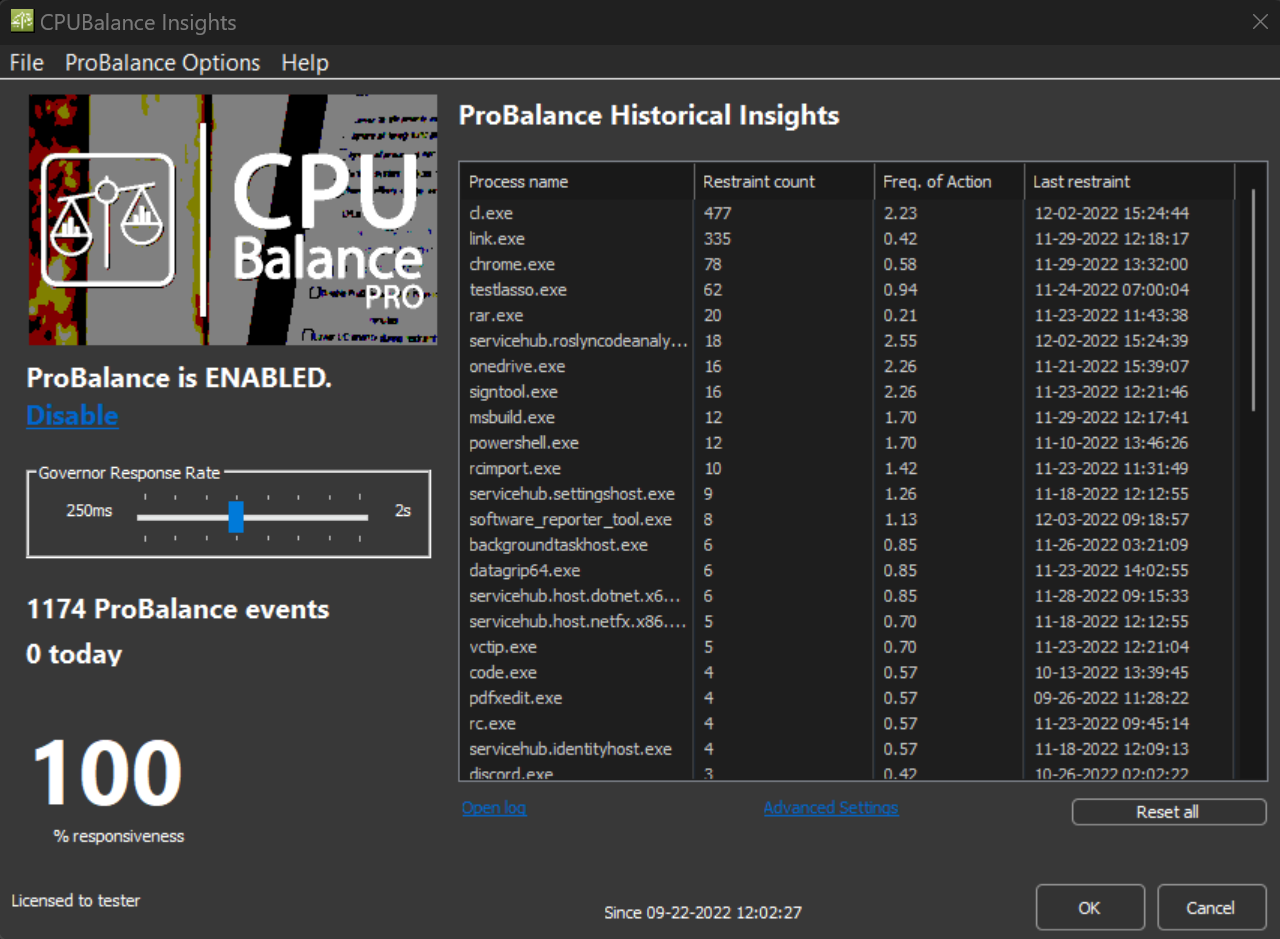
See which processes ProBalance acted on, how often and when, plus a responsiveness score. Adjust the Governor Response Rate from 250 ms to 2 seconds.
The effect is easy to test yourself, in synthetic and real-world demos. See how ProBalance works, with a video demonstration.
Settings
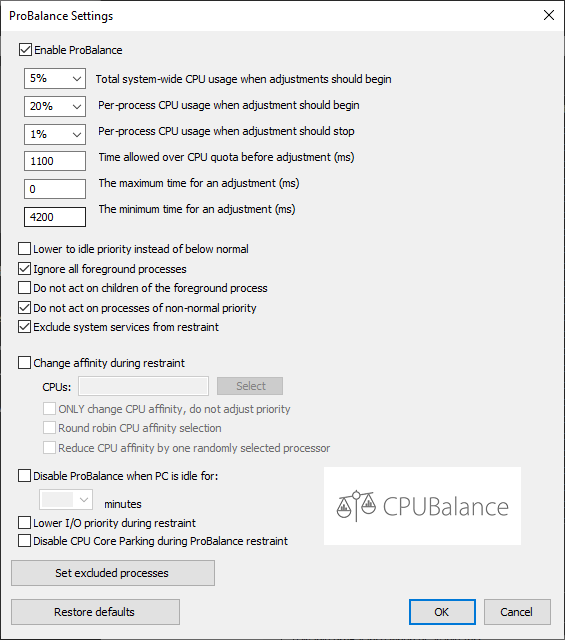
Open ProBalance Options from the tray menu to set when ProBalance acts: The total and per-process CPU use thresholds, how long a process may stay over its quota, and the minimum and maximum restraint times.
You can also lower to idle priority instead of below normal, skip the foreground process and its children, skip processes of non-normal priority and system services, lower I/O priority during restraint, disable core parking during restraint, pause ProBalance while the PC is idle, and exclude processes.
The tray menu also turns ProBalance on and off, starts CPUBalance at login, and checks for updates, including betas.
For CPUBalance Users
CPUBalance is free. A Pro license adds the CPU affinity options for ProBalance: Change a process’s CPU affinity during restraint, change only its affinity without adjusting priority, and reduce its affinity by one randomly selected processor. Lifetime licenses are a one-time payment.
Considering Pro? Process Lasso Pro is the better choice: It includes ProBalance and everything else in Process Lasso.
FAQ
No. CPUBalance offers only ProBalance. Process Lasso contains everything CPUBalance does, and much more.
No. If you have Process Lasso, you don’t need CPUBalance; uninstall CPUBalance.
Yes. ProBalance is a core feature of Process Lasso, and it keeps improving there.
Subscribe to get the latest posts sent to your email.
Bitsum Technologies
Independent Windows software since 2002. We build novel solutions to software performance and automation challenges.