
Deprecated: Recent Files Exclusions is no longer maintained. It remains available as is, but it will not receive updates or fixes.
Free Windows App
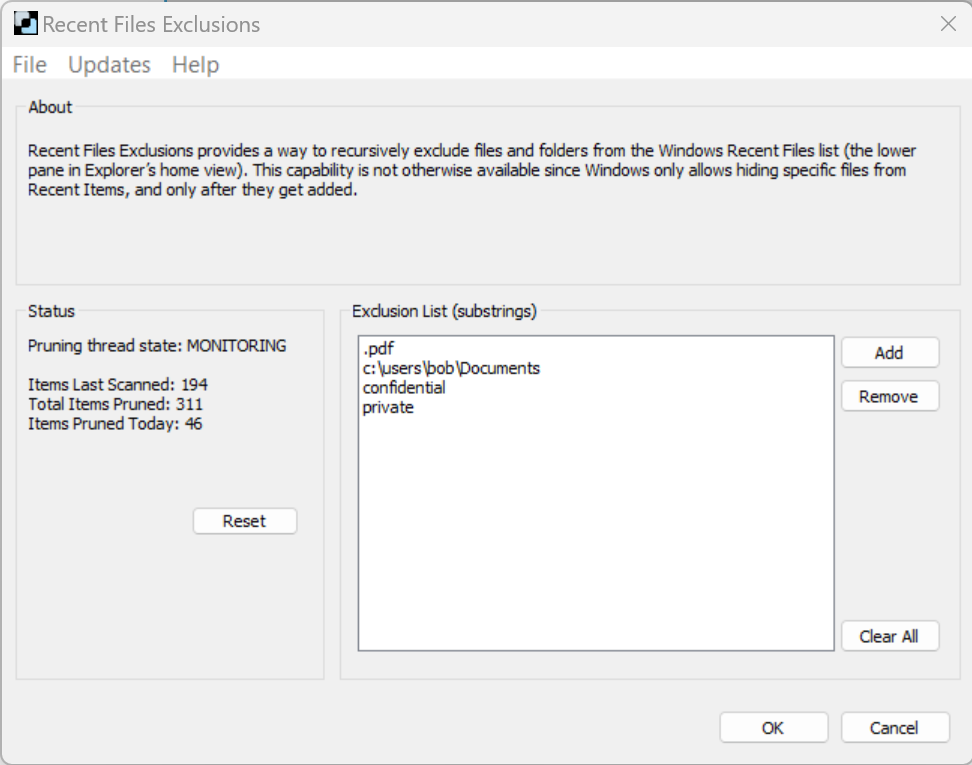
Keep files and folders out of Recent Files. Recursively exclude files and folders from the Windows Recent Files list (the lower pane of Explorer’s home view), something Windows can’t do on its own.
Open source: View the code on GitHub.
Why
Windows can only hide specific files from Recent Items, one by one, after they’ve been added. Removing a folder from Quick Access doesn’t stop its files from being added to the Recent Files list.
It monitors the Windows Recent Items database and prunes it in real time whenever it changes.
Exclude any path or file name with a matching substring. For instance, accounting matches every file in c:\users\jeremy\accounting, or a file named accounting-export.csv.
Install it and it lives in the system tray, pruning Recent Files in real time. To edit the exclusion list, click the tray icon or launch the app again.
For Administrators
| Code | Meaning |
|---|---|
| 0 | Success, including installing over an existing copy |
| 1 | Failure, or the user canceled |
Bitsum Technologies
Independent Windows software since 2002. We build novel solutions to software performance and automation challenges.