Performance Mode
For an overview, including when to use it, how it compares with ProBalance, and Windows 11 Efficiency Mode, see Performance Mode (Bitsum Highest Performance power plan) in Process Lasso.
- Menu path: ‘Options / Power / Performance Mode’
Performance Mode is a state that triggers a set of actions to ensure maximum performance. Users can designate processes to ‘Induce Performance Mode’ while they are running, or turn on automated game detection (off by default for new installs).
The set of actions Performance Mode takes is currently limited to switching the active power plan (profile), and excluding the target process from ProBalance – though the latter is not usually necessary given ProBalance’s default set of exclusion criteria (i.e. foreground process). However, in the future, other actions, such as adjustments to the ProBalance algorithm may occur. For this reason, we recommend using Performance Mode over a simple Application Power Profile rule.
Users can designate a ‘High Performance’ process by right-clicking on a process and checking the ‘Induce Performance Mode‘ menu item, or by using application menu option at ‘Options / Power / Performance Mode’.
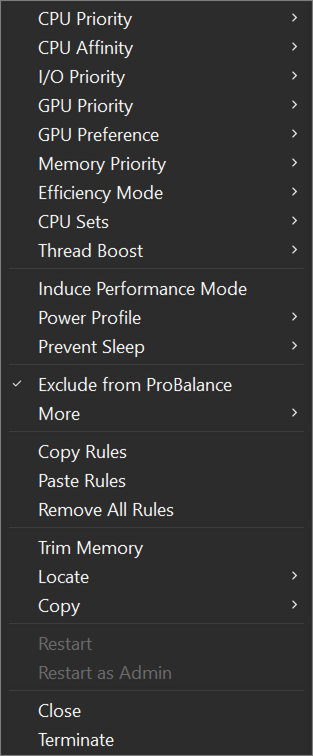
Induce Performance Mode process context menu item
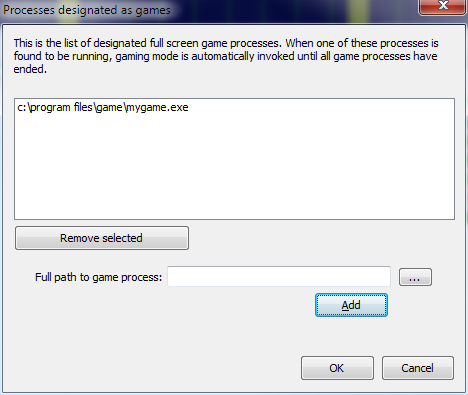
Users can select an alternate power plan to use with Performance Mode, instead of the default of Bitsum Highest Performance.
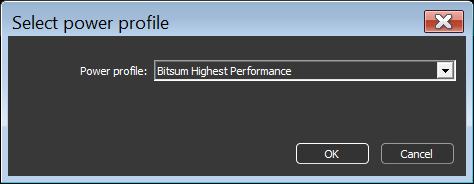
Select alternate power plan for Performance Mode